Introduction
You are standing right in front of the restaurant — but Google Maps says you are half a block away. Or your fitness tracker records a GPS route that zigzags wildly across streets you never crossed. How accurate is phone GPS, really — and why does it sometimes get your location embarrassingly wrong?
GPS accuracy is not fixed. It varies significantly depending on your phone’s hardware, your environment, atmospheric conditions, and how many positioning technologies your device is combining. In 2026, the best smartphones achieve remarkable GPS accuracy — but many factors can degrade performance significantly. This guide gives you the full truth about phone GPS accuracy.
How Accurate Is Phone GPS Under Ideal Conditions?
Under ideal conditions — clear sky view, multiple satellites in sight, minimal interference — modern smartphone GPS typically achieves:
- Standard single-frequency GPS — 3 to 5 meters horizontal accuracy
- Dual-frequency GPS (L1 + L5) — 1 to 2 meters horizontal accuracy
- Wi-Fi assisted positioning — 10 to 40 meters
- Cell tower positioning — 100 meters to 3 kilometers (depending on tower density)
For context: 3–5 meters of accuracy means your displayed position is within the width of a typical road lane. For most navigation purposes, this is more than sufficient. However, for lane-level navigation or precision applications, it creates meaningful errors.
What Is Dual-Frequency GPS and Why Does It Matter?
The single biggest accuracy upgrade in recent smartphone GPS history is the addition of dual-frequency GNSS — receiving signals on both the L1 and L5 frequency bands simultaneously.
Why does it improve accuracy so much?
GPS signals travel through Earth’s ionosphere — a layer of electrically charged particles in the upper atmosphere. The ionosphere causes GPS signals to slow down slightly (ionospheric delay), introducing position errors.
The key insight: ionospheric delay affects L1 and L5 signals differently. By measuring both signals simultaneously, a dual-frequency receiver can calculate the exact ionospheric delay and correct for it — virtually eliminating this major source of error.
Dual-frequency GPS is now available in:
- All iPhone 14 and later models
- Google Pixel 4 and later
- Samsung Galaxy S20 and later (with Qualcomm X55 or newer modems)
- Most flagship Android phones from 2021 onward
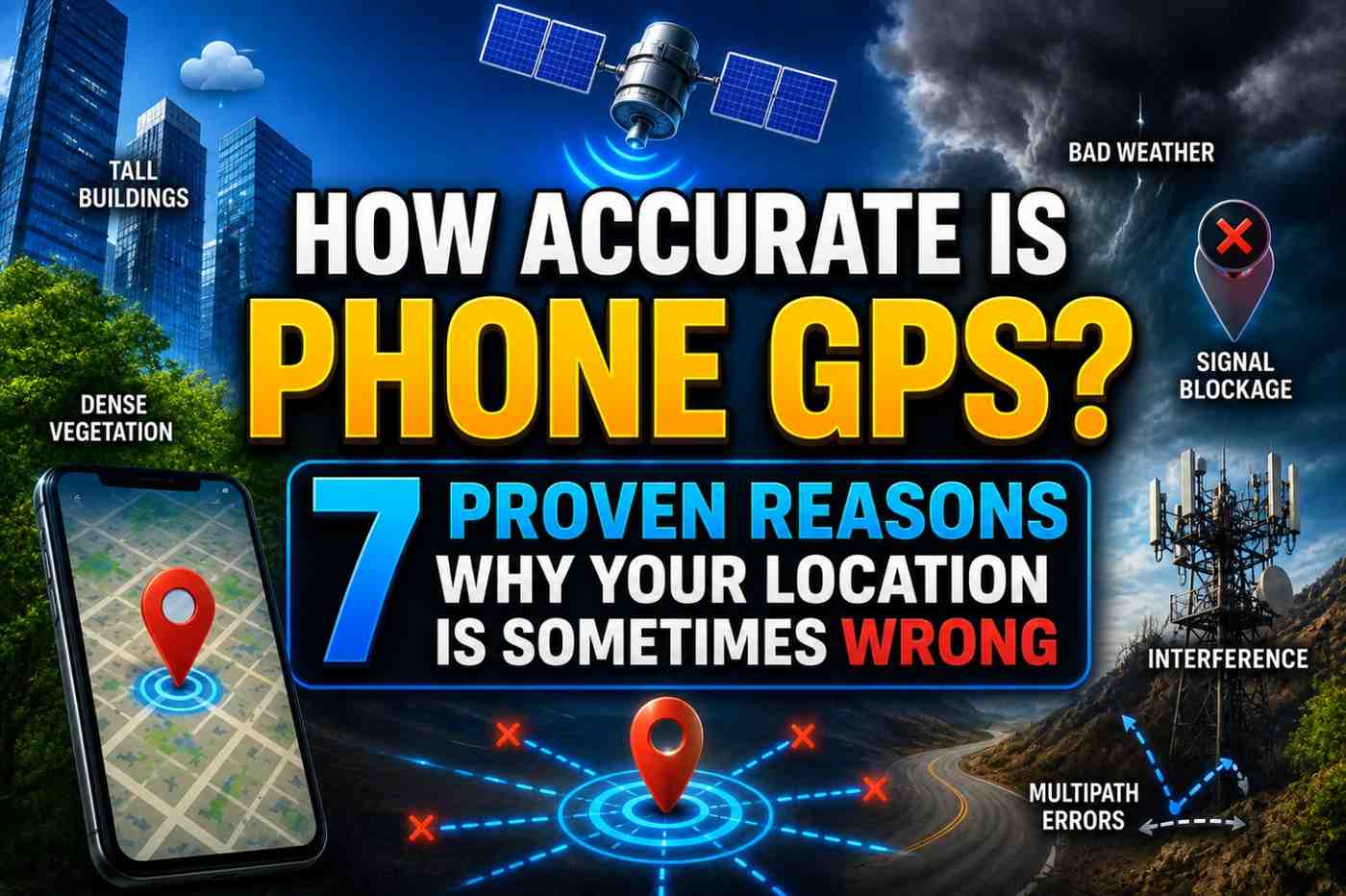
The 7 Reasons Your Phone GPS Is Sometimes Wrong
Reason 1: Urban Canyon Effect
In cities with tall buildings, GPS signals bounce off building facades before reaching your phone. Your receiver gets multiple versions of the same signal — direct and reflected — which confuses its timing calculations.
This multipath interference is the primary cause of GPS errors in dense urban environments, and it can produce errors of 10–50 meters or more in extreme cases.
Dual-frequency GPS significantly reduces (but does not eliminate) multipath errors by using frequency comparison to identify reflected signals.
Reason 2: Insufficient Satellite Visibility
GPS requires at least four satellites for a 3D fix. In locations where your sky view is limited — deep urban canyons, dense forests, mountainous terrain — fewer satellites may be visible, reducing accuracy.
Your phone automatically falls back to less precise positioning methods (Wi-Fi, cell towers) when satellite visibility is poor. The accuracy indicator circle on Google Maps expands when this happens.
Reason 3: Atmospheric Disturbances
Ionospheric and tropospheric conditions affect GPS signal propagation:
- Ionospheric delay — solar activity, particularly solar flares and coronal mass ejections, can significantly increase ionospheric electron density, introducing errors of up to 10 meters on single-frequency receivers
- Tropospheric delay — water vapor and weather conditions slightly slow GPS signals; this is a smaller effect but measurable
Dual-frequency receivers compensate for most ionospheric effects.
Reason 4: GPS Signal Blockage
GPS signals cannot penetrate solid materials effectively. Signal strength drops dramatically when:
- You are indoors
- Your phone is in a pocket, bag, or case with metal components
- Your hand covers the GPS antenna area of your phone
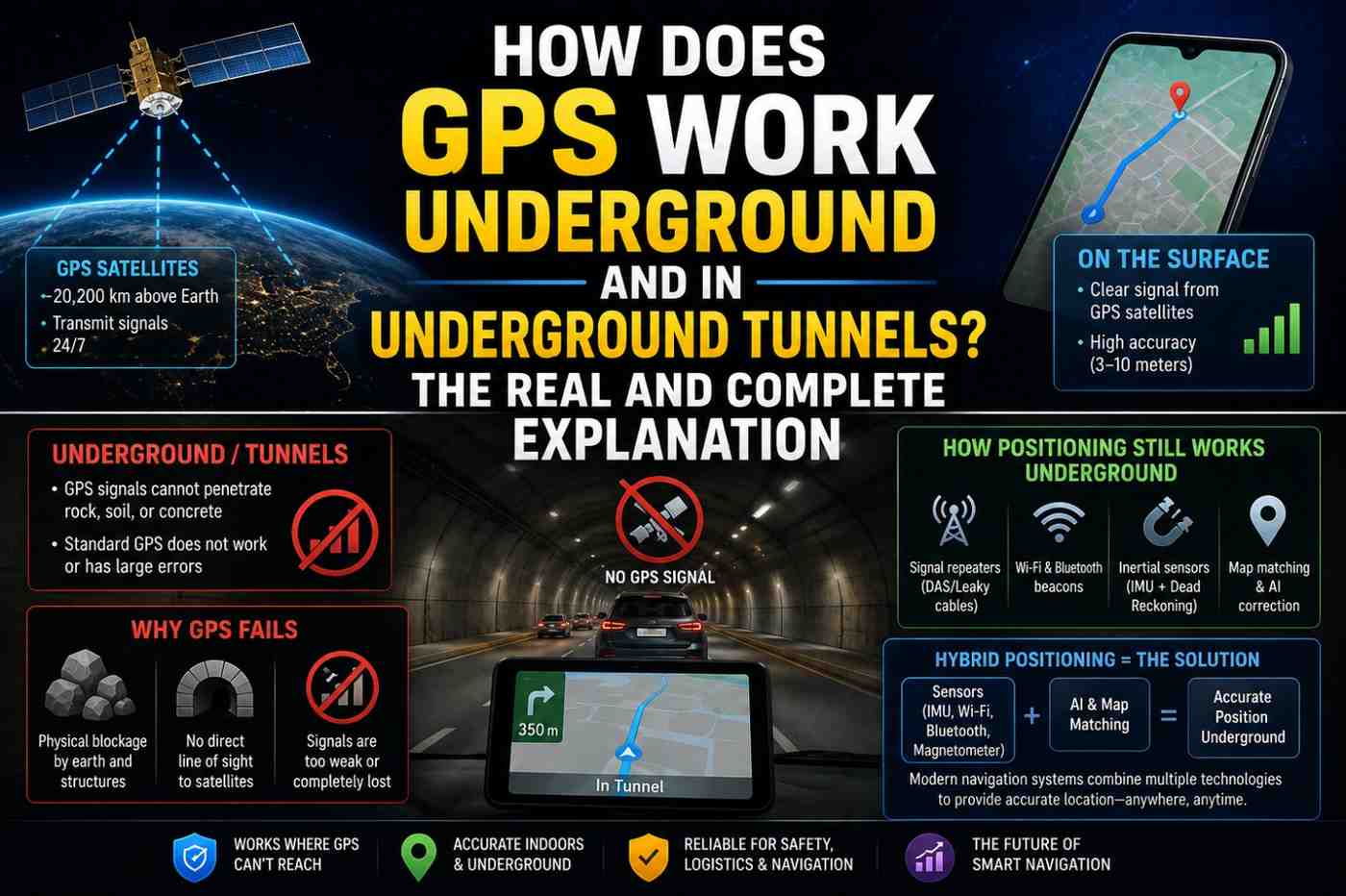
- You are in a basement, parking garage, or tunnel
In these situations, your phone relies on Wi-Fi positioning, cell towers, or dead reckoning — all less precise than GPS.
Reason 5: Phone Hardware Quality
Not all GPS chips are equal. Budget smartphones often use lower-quality GPS receivers with:
- Lower signal sensitivity
- Single-frequency reception only
- Fewer supported GNSS constellations
- Less sophisticated signal processing
The GPS chip quality gap between a budget Android phone and a flagship model can mean the difference between 10-meter accuracy and 2-meter accuracy under identical conditions.
Reason 6: Satellite Geometry (GDOP)
Even with four or more satellites visible, their geometric arrangement in the sky affects accuracy. The technical term is GDOP (Geometric Dilution of Precision).
Satellites spread evenly across the sky produce a strong, accurate position fix (low GDOP). Satellites clustered together produce a weaker fix (high GDOP) — like trying to triangulate position from multiple sources all pointing in the same direction.
Good satellite geometry requires satellites in different parts of the sky — especially at varying elevations.
Reason 7: App-Level Accuracy Requests
Different apps request different levels of location accuracy from your phone’s operating system:
- High accuracy — uses GPS, Wi-Fi, and cell towers together
- Balanced accuracy — primarily Wi-Fi and cell towers
- Low power — cell towers only
Navigation apps like Google Maps always request high accuracy. Some poorly optimized apps may request low accuracy, producing coarse location data even when GPS is available.
GPS Accuracy Comparison Across Smartphone Categories
| Phone Category | GPS Chip | Typical Accuracy | Dual-Frequency |
|---|---|---|---|
| Budget ($100–$250) | Basic single-frequency | 5–15 meters | No |
| Mid-range ($250–$500) | Mid-tier GNSS | 3–8 meters | Sometimes |
| Flagship ($500+) | Premium multi-constellation | 1–3 meters | Yes |
| Dedicated GPS device | Purpose-built | 2–5 meters | Some models |
How to Improve GPS Accuracy on Your Phone
- Go outside — GPS requires clear sky view; GPS accuracy indoors is always compromised
- Enable all location sources — turn on GPS, Wi-Fi scanning, and mobile network location simultaneously
- Update Google Play Services — contains GPS assistance and location algorithm updates
- Clear GPS cache — in developer options or through Google Play Services storage
- Use a dual-frequency phone — the single biggest hardware upgrade for GPS accuracy
- Enable multi-constellation GNSS — some Android phones allow enabling GLONASS, Galileo, and BeiDou in settings
- Avoid metal phone cases — can interfere with GPS antenna reception
FAQs: How Accurate Is Phone GPS
Q1: How accurate is phone GPS for everyday navigation? Under good conditions, modern smartphones achieve 3–5 meter accuracy with standard GPS, and 1–2 meters with dual-frequency GPS — more than sufficient for road and pedestrian navigation.
Q2: Why does my GPS show me on the wrong street? Urban canyon multipath interference or reliance on Wi-Fi/cell tower positioning is the most common cause of street-level errors in cities.
Q3: Which phones have the most accurate GPS in 2026? Phones with dual-frequency GNSS and multi-constellation support — including iPhone 15/16 Pro, Google Pixel 9, and Samsung Galaxy S25 — offer the best GPS accuracy.
Q4: Is phone GPS as accurate as a dedicated GPS device? High-end smartphones now match or exceed most consumer GPS devices. Professional surveying GPS devices using RTK (Real-Time Kinematic) correction achieve centimeter accuracy far beyond any phone.
Q5: Does GPS accuracy get worse in bad weather? Rain, clouds, and typical weather have minimal impact on GPS signals. However, severe ionospheric disturbances from solar storms can reduce accuracy by several meters.
Q6: Can I check my phone’s current GPS accuracy? Yes. Apps like GPS Test (Android) show your current satellite count, signal strength, and reported horizontal accuracy. Google Maps shows the accuracy circle around your blue dot.
Conclusion
So how accurate is phone GPS? Better than you might expect under ideal conditions, and worse than you would hope in challenging environments. The technology gap between budget and flagship smartphones is real and meaningful for GPS performance. The best way to maximize your phone GPS accuracy is to use a dual-frequency capable device, keep all location sources enabled, and ensure clear sky visibility. For a detailed view of your phone’s real-time GPS performance, try the free GPS Test app on Android — it reveals exactly how many satellites your phone is tracking and what accuracy it is achieving right now.