Introduction
You have written great content, optimized every heading, and published your page—but it still does not appear in Google. The most likely culprit? Indexing. Understanding what search engine indexing is is fundamental to understanding why some pages appear in search results and others simply do not.
Indexing is the bridge between crawling and ranking. Without it, your content is invisible to search engines—no matter how good it is. In this complete guide, we break down exactly what search engine indexing is, how it works, why it matters, and—most importantly—how to ensure your pages are indexed correctly in 2026.
Also Read: What Is Web Crawling and How Does It Work?
What Is Search Engine Indexing?
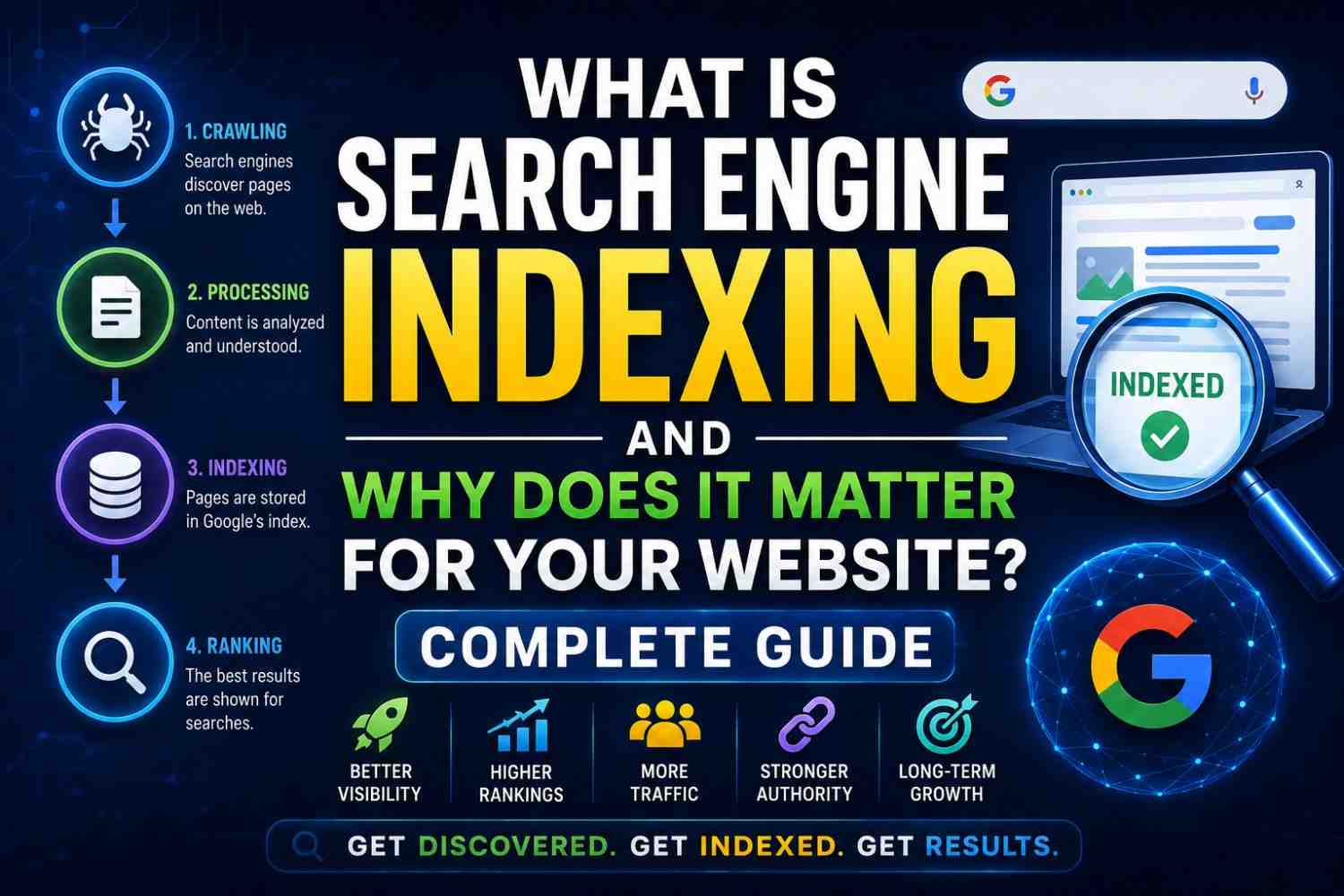
Search engine indexing is the process by which a search engine analyzes, processes, and stores information about web pages in its database—called the index—so that those pages can be retrieved and displayed in search results.
Think of the index as a massive, hyper-organized library. When a search engine crawls a page, it adds a detailed entry for that page to its library catalog—including the page’s content, keywords, metadata, links, quality signals, and more. When a user searches, the engine consults its index rather than the live web.
Without indexing, there are no search results. Without being in the index, your page cannot rank.
The Difference Between Crawling and Indexing
These two terms are frequently confused, so let’s be clear:
| Crawling | Indexing |
|---|---|
| Discovering and visiting web pages | Processing and storing page information |
| Performed by crawler bots | Performed by indexing servers |
| Does not guarantee indexing | Prerequisite for appearing in search |
| Can be blocked by robots.txt | Can be blocked by noindex tags |
| First step of search engine process | Second step—follows crawling |
A page can be crawled without being indexed. But a page cannot be indexed without first being crawled.
How Does Search Engine Indexing Work?
Stage 1: Content Analysis
Once a page is crawled, Google’s indexing systems analyze:
- Text content—extracting all readable text
- HTML signals—title tags, meta descriptions, header tags (H1–H6)
- Structured data — Schema.org markup that defines page elements
- Internal and external links—what pages are linked to and from
- Images and media—ALT text and context around non-text elements
- Page metadata—publication date, author, language
Stage 2: Canonicalization
Before a page is indexed, Google identifies the canonical version—the preferred URL when duplicate or very similar content exists across multiple URLs.
For example, these URLs might all show the same content:
https://example.com/pagehttps://example.com/page/https://www.example.com/pagehttps://example.com/page?ref=twitter
Google selects one as canonical and indexes only that version. You can guide this choice using the rel="canonical" tag.
Stage 3: Quality Evaluation
Not every crawled page makes it into the index. Google’s systems apply quality filters:
- Pages with very thin or duplicate content may be excluded
- Pages blocked by noindex meta tags are excluded
- Soft 404 pages (no real content despite a 200 status code) may be excluded
- Pages that violate Google’s spam policies are excluded
Stage 4: Storage and Retrieval Setup
Indexed pages are stored in a distributed database optimized for incredibly fast retrieval. Key pieces of information stored include:
- Inverted index entries (which pages contain which terms)
- Page quality signals and authority scores
- Content vectors for semantic similarity matching
- Freshness timestamps for recency ranking
What Prevents a Page from Being Indexed?
This is critically important for every website owner. Common reasons a page may not be indexed:
- Noindex tag—explicitly tells search engines not to index the page
- Robots.txt block—Prevents crawling, which means no indexing
- Orphan pages — No internal or external links pointing to the page
- Duplicate content—Google may choose another canonical version
- Low quality—thin, auto-generated, or meaningless content
- Crawl errors — Server errors (500) or redirects that fail
- Slow loading—Pages that time out during crawl may not be indexed
- Recently published—New pages take time to be discovered and processed
How to Check If Your Pages Are Indexed
Several methods allow you to verify your indexing status:
Google Site Search: Type site:yourdomain.com in Google. The results show all of your indexed pages. The number displayed is an estimate—not a precise count.
Google Search Console: The Coverage report shows
- Valid — Successfully indexed pages
- Valid with warnings—Indexed but with potential issues
- Excluded—Pages not in the index and why
- Error — Pages that failed indexing due to technical issues
URL Inspection Tool: Enter any specific URL to see its current indexing status, last crawl date, and any issues Google detected.
How to Get Your Pages Indexed Faster
Once you understand what is search engine indexing, you can take active steps to speed up indexing:
- Submit your sitemap via Google Search Console
- Request indexing for individual URLs using the URL Inspection Tool
- Build internal links to new pages from already-indexed pages
- Earn backlinks—links from other indexed sites dramatically speed up discovery
- Publish on social media—shares can attract crawler visits quickly
- Ensure fast load times—Google crawls faster on responsive servers
- Use correct canonical tags—guide Google to your preferred URLs
Indexing Best Practices for SEO in 2026
| Best Practice | Why It Matters |
|---|---|
| Submit XML sitemaps | Helps Google discover all your pages |
| Fix crawl errors promptly | Prevents pages from being dropped from the index |
| Use canonical tags | Prevents duplicate content dilution |
| Avoid noindex on important pages | Accidental blocks are a common ranking killer |
| Remove low-quality pages | Improves overall crawl quality perception |
| Monitor Search Console weekly | Catches indexing issues before they affect traffic |
FAQs: What Is Search Engine Indexing
Q1: What is search engine indexing in simple terms? It is the process of a search engine storing information about your web pages in its database so they can appear in search results.
Q2: How long does it take for a new page to be indexed? Between a few hours to several weeks depending on your site’s authority, crawl budget, and how many links point to the new page.
Q3: How many of my pages are indexed by Google? Use site:yourdomain.com Google or check the Coverage report in Google Search Console for an estimate.
Q4: Why is my page crawled but not indexed? Common reasons include thin content, duplicate content, soft 404 status, or the page being flagged as low quality by Google’s systems.
Q5: Does having more indexed pages help SEO? Not necessarily. Quality matters more than quantity. Having many low-quality indexed pages can actually hurt your site’s overall crawl quality perception.
Q6: Can I force Google to reindex a page? You can request reindexing via the URL Inspection Tool in Google Search Console. Google will prioritize reviewing the page but cannot guarantee timing.
Conclusion
Understanding what search engine indexing is the difference between creating content that exists and creating content that performs. Every piece of content you publish goes through this invisible process before it can ever rank or drive traffic. By actively managing your indexing—checking coverage reports, optimizing crawlability, and maintaining quality standards—you take control of your search visibility. Start with a full audit using Google Search Console and make sure every valuable page on your site is indexed, accessible, and ready to rank.