Introduction
Every time you open an app, stream a video, or send a message on your phone, your device is quietly using a unique identifier to communicate with the internet. That identifier is called an IP address. But what is an IP address, and how does it work — especially on a mobile device?
Most people have heard the term but don’t fully understand it. Whether you’re troubleshooting a connection issue, setting up a VPN, or simply curious about how your phone connects to the world, this guide explains everything in plain, simple language. By the end, you’ll know exactly what an IP address is, how it works, and why it matters for your everyday digital life.
What Is an IP Address?
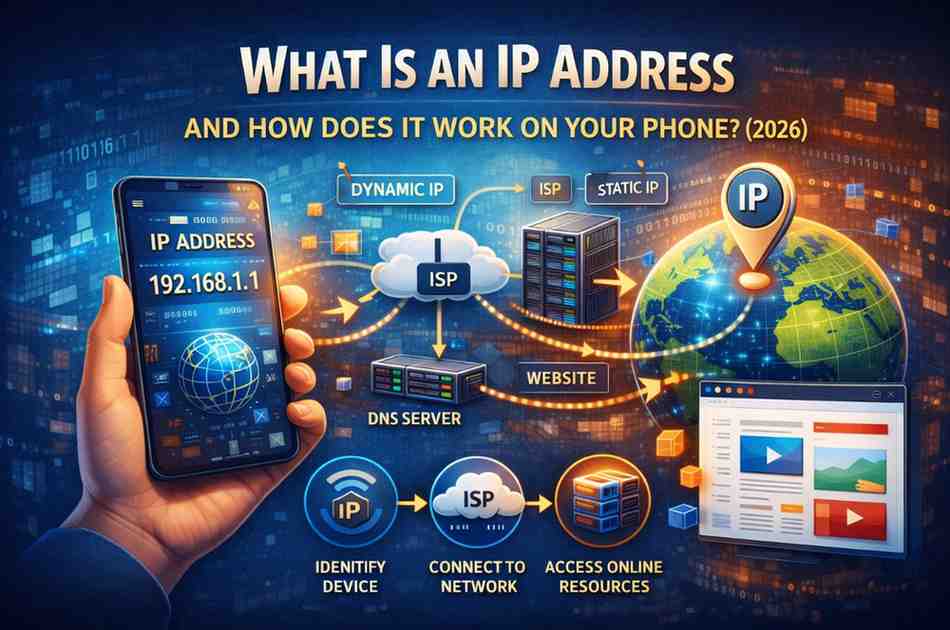
An IP address (Internet Protocol address) is a unique numerical label assigned to every device that connects to a network. Think of it like a home mailing address — just as the postal service needs your address to deliver a letter, the internet needs your IP address to send and receive data to the right device.
Without IP addresses, devices on the internet would have no way of knowing where to send information. Every website, server, smartphone, laptop, and smart TV that connects to the internet has one.
Simple analogy: Imagine the internet as a massive city. Every building (device) needs a street address (IP address) so that mail (data) reaches the right place.
How Does an IP Address Work?
Understanding what is an IP address and how does it work requires knowing a little about how data travels on the internet. Here’s the process step by step:
- You open an app or website on your phone.
- Your phone sends a request to a server using your IP address as the “return address.”
- The server receives the request and sends back the data (webpage, video, etc.).
- The data travels across the internet to your phone’s specific IP address.
- Your phone receives and displays the content.
This entire process happens in milliseconds. IP addresses make it possible for billions of devices to communicate simultaneously without confusion.
Types of IP Addresses
Not all IP addresses are the same. There are several important types you should know about.
1. IPv4 vs. IPv6
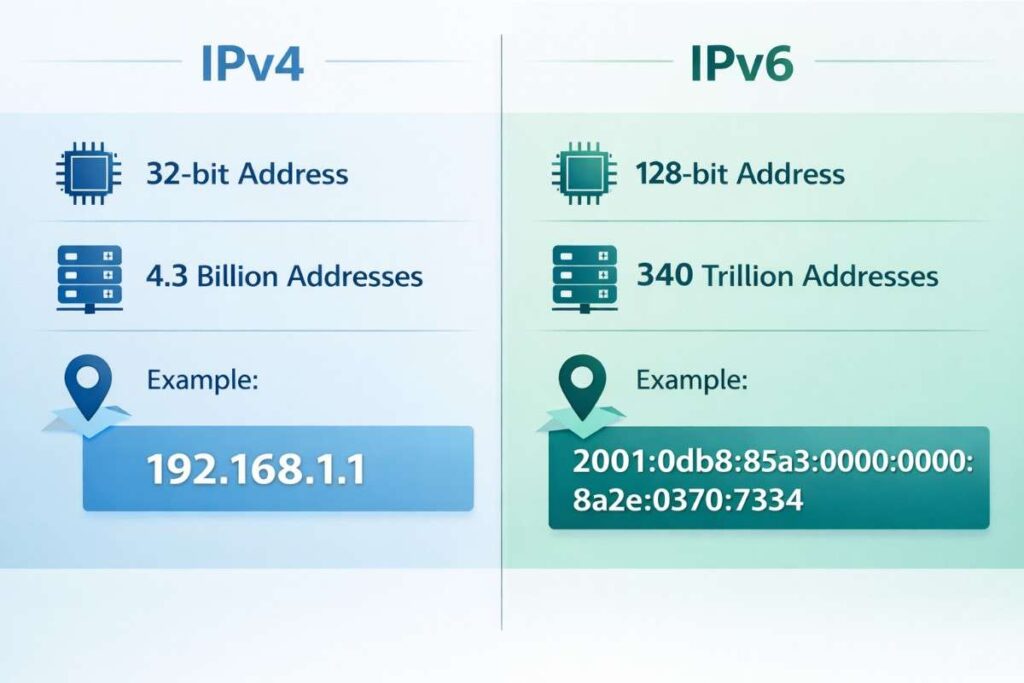
There are two versions of IP addresses in use today:
| Feature | IPv4 | IPv6 |
|---|---|---|
| Format | 192.168.1.1 | 2001:0db8:85a3::8a2e |
| Total Addresses | ~4.3 billion | 340 undecillion |
| Still in Use? | Yes (widely) | Yes (growing fast) |
| Length | 32-bit | 128-bit |
IPv4 is the older standard and uses a four-number format separated by dots. Because the internet has grown so massively, IPv4 addresses are running out. IPv6 was introduced to solve this problem, offering a practically unlimited supply of addresses.
2. Public vs. Private IP Address
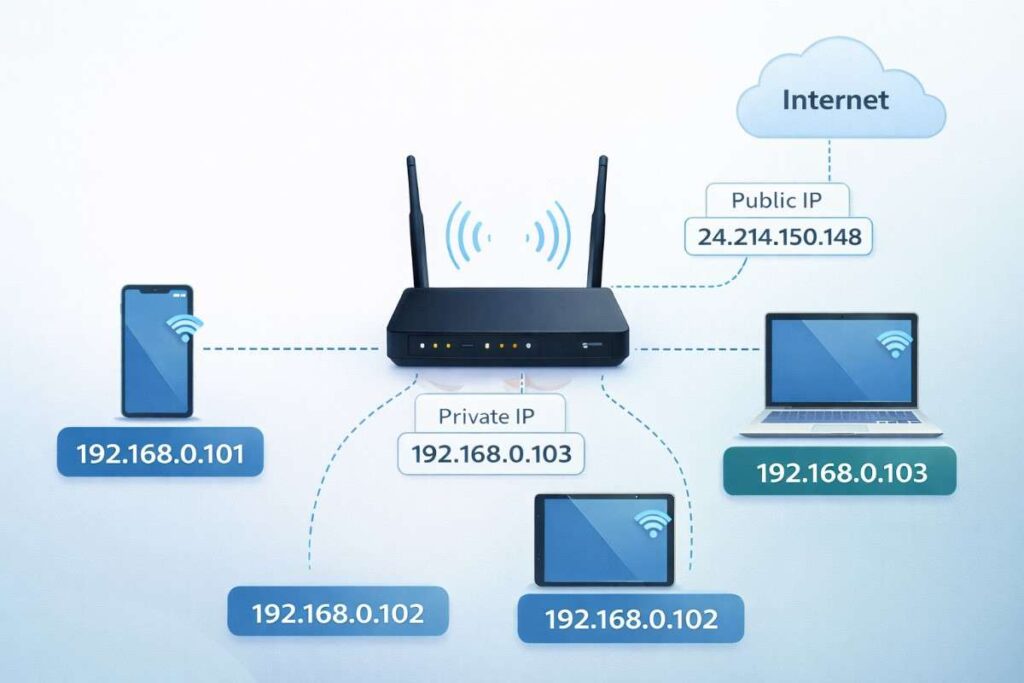
- Public IP: This is the address visible to the outside internet. Your internet service provider (ISP) or mobile carrier assigns it to you. All devices on your Wi-Fi network share one public IP.
- Private IP: This is the address assigned within your local network (like your home Wi-Fi). Your router gives each device — phone, laptop, smart TV — a different private IP to keep them organized internally.
3. Static vs. Dynamic IP Address
- Static IP: A fixed address that never changes. Usually used by websites, servers, and businesses.
- Dynamic IP: An address that changes periodically. This is what most home users and mobile phones use. Your ISP or carrier assigns a new one each time you reconnect.
Expert TipMost smartphones use dynamic IP addresses that change when you switch between Wi-Fi and mobile data, or when you reconnect to a network. This is completely normal and by design.
How Does an IP Address Work on Your Phone?
Your phone actually uses two different IP addresses at the same time in most situations — one when connected to Wi-Fi, and one when on mobile data.
On Wi-Fi
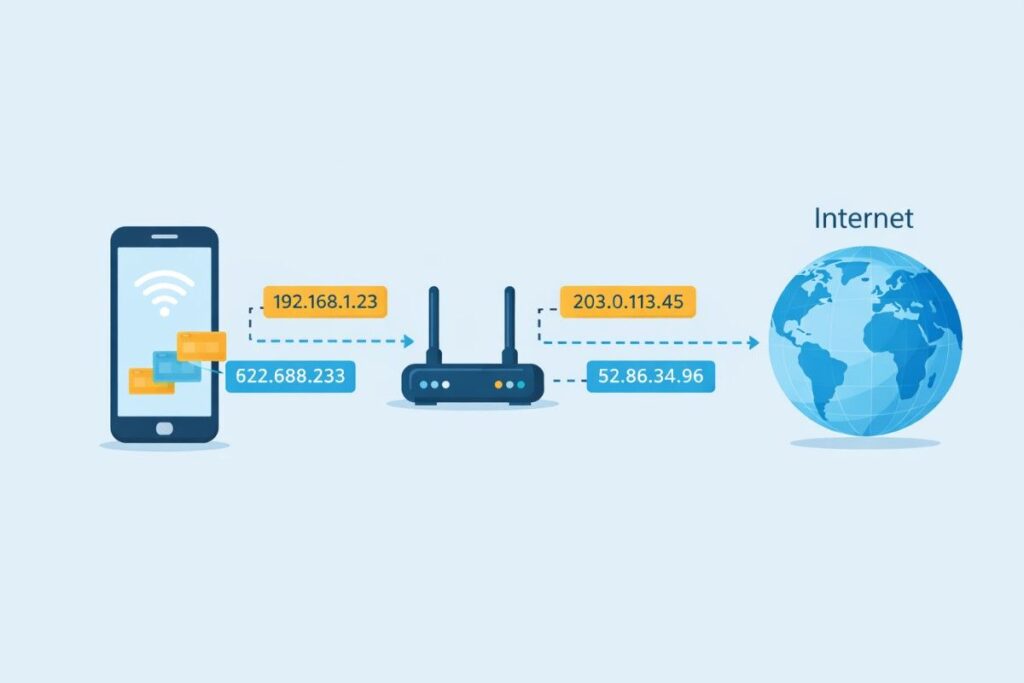
When you connect to a Wi-Fi network, your router assigns your phone a private IP address. Meanwhile, your router uses a single public IP address to communicate with the rest of the internet on behalf of all connected devices.
On Mobile Data (4G/5G)
When you’re on mobile data, your carrier directly assigns your phone a public IP address (usually dynamic). This is why your IP address changes if you switch from Wi-Fi to mobile data.
How to Find Your IP Address on Your Phone
Here’s how to find it on the most common platforms:
Android:
- Go to Settings → Wi-Fi
- Tap on your connected network
- Look under “IP Address”
iPhone (iOS):
- Go to Settings → Wi-Fi
- Tap the (ℹ) icon next to your network
- Your IP address appears under the IPv4 or IPv6 section
You can also visit a website like whatismyip.com to instantly see your public IP address from any browser.
Why Does Your IP Address Matter?
Your IP address plays a bigger role in your digital life than most people realise:
- Location detection: Websites use your IP to estimate your geographic location and serve local content, currency, or ads.
- Access restrictions: Some content (streaming libraries, websites) is restricted by region. Your IP determines what you can access.
- Security and privacy: Your IP can reveal your general location and ISP. Hackers or trackers can use it to monitor activity.
- Troubleshooting: Network issues are often diagnosed using IP address information.
IP Address: Pros and Cons
Pros
- Enables reliable internet communication
- Allows location-based services and personalisation
- Helps with network troubleshooting
- Dynamic IPs add a basic layer of privacy
- IPv6 ensures virtually unlimited addresses for the future
Cons
- Can expose your approximate location
- Dynamic IPs can occasionally disrupt certain services
- Public IPs can be targeted in cyberattacks
- IP-based geo-restrictions can block legitimate content
Latest Trends: IP Addresses in 2025–2026
- IPv6 adoption is accelerating: Major carriers and ISPs are rolling out IPv6 across mobile networks, with over 40% of global internet traffic now using IPv6.
- VPN usage is rising: More smartphone users are using VPNs to hide their IP addresses and protect online privacy.
- 5G and dynamic IPs: 5G networks assign highly dynamic IP addresses, meaning your phone’s IP can change more frequently than ever before.
- AI-powered security: Networks are now using machine learning to detect suspicious IP activity and protect users from threats automatically.
Visual Content Suggestions
Image 1How Data Travels Using IP Addresses
🎨 AI Prompt: “A clean flat-design infographic showing a smartphone sending data packets through a router to a globe representing the internet, with IP address labels floating along the path, on a light blue background.”
ALT text: “Infographic showing how an IP address works on a smartphone”
Image 2IPv4 vs IPv6 Comparison
🎨 AI Prompt: “A modern split-screen diagram comparing IPv4 and IPv6 address formats side by side, with icons for address length, capacity, and example addresses, clean tech-style illustration.”
ALT text: “IPv4 vs IPv6 IP address comparison chart”
Image 3Public vs Private IP on a Home Network
🎨 AI Prompt: “Illustrated diagram of a home Wi-Fi network showing a router in the center with multiple devices (phone, laptop, tablet) connected, each with a private IP label, and one public IP connecting to the internet cloud.”
ALT text: “Diagram of public and private IP addresses on a home network”
🔗 Linking Suggestions
Internal linking ideas (related article topics to link to):
- → “What Is a VPN and Why You Should Use One on Your Phone”
- → “Public Wi-Fi Safety: How to Protect Your Data on Mobile”
- → “IPv4 vs IPv6: Which Is Better and What’s the Difference?”
External authority sources to cite:
- → IANA (Internet Assigned Numbers Authority) — iana.org
- → Wikipedia: IP Address — en.wikipedia.org/wiki/IP_address
Frequently Asked Questions
Can two devices have the same IP address?
On the public internet, no — each public IP address is unique. However, two devices on different private networks can share the same private IP (like 192.168.1.1) because private IPs only exist within a local network and are never exposed directly to the internet.Does my phone’s IP address change?
Yes, in most cases. Your phone uses a dynamic IP address that changes when you switch between Wi-Fi and mobile data, reconnect to a network, or when your ISP reassigns addresses. This is normal and expected behaviour for most mobile users.Can someone track my location using my IP address?
An IP address can reveal your approximate location — typically your city or region — but not your exact home address. It can also identify your internet service provider (ISP). For full anonymity, a VPN can mask your real IP address.What is a VPN and how does it relate to my IP address?
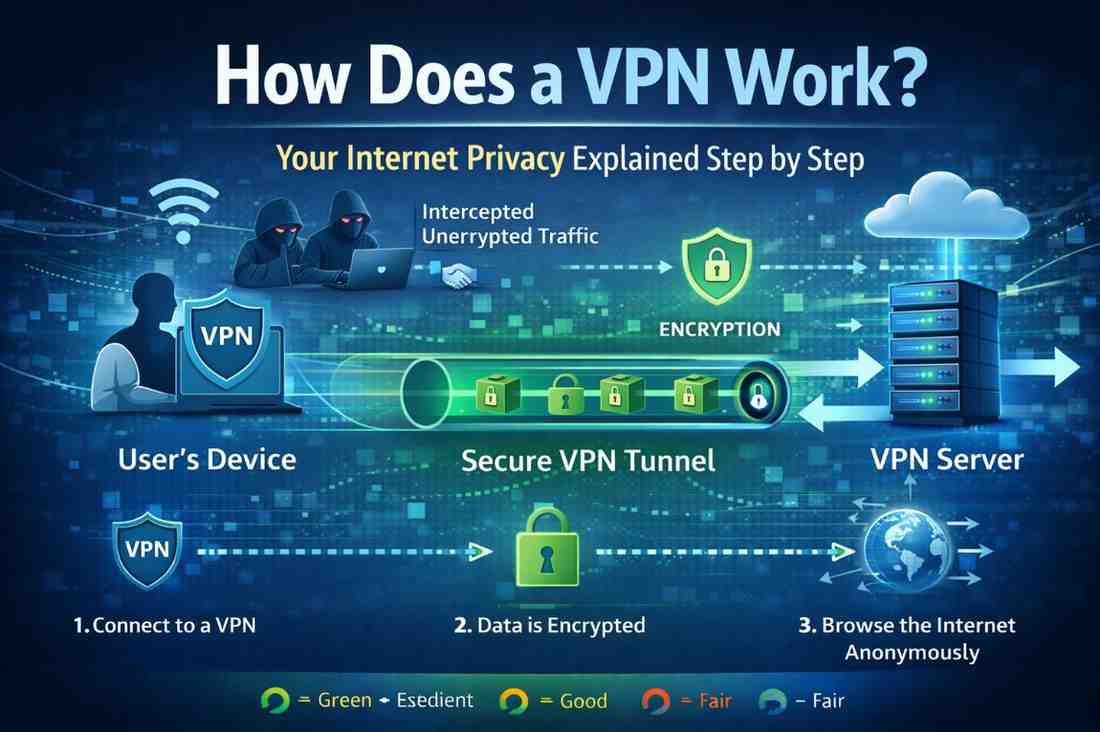
A VPN (Virtual Private Network) routes your internet traffic through a server in another location, replacing your real IP address with the VPN server’s IP. This hides your actual IP from websites and services, improving your privacy and allowing access to geo-restricted content.What happens if I have no IP address?
Without an IP address, your device cannot communicate with any network or the internet. This usually shows up as a “No Internet” error. It can happen if your router fails to assign an address (a DHCP error) or if there’s a network misconfiguration.
Conclusion
Understanding what is an IP address and how does it work is one of the most useful things you can know about modern technology. Every time your phone connects to the internet — whether on Wi-Fi or mobile data — it’s using an IP address to send and receive information reliably.
To recap the key points:
- An IP address is a unique numerical label that identifies your device on a network.
- IPv4 and IPv6 are the two main formats, with IPv6 designed for the future.
- Your phone uses both public and private IP addresses depending on how it connects.
- Dynamic IPs change regularly; static IPs remain fixed.
- Your IP can reveal your general location, which is why VPNs are popular for privacy.
Whether you’re a casual user or someone who wants to manage their online privacy better, knowing how IP addresses work gives you a real advantage in navigating the digital world.