Introduction
Have you ever wondered how does data travel through the internet when you send a message or watch a video? The answer is both fascinating and surprisingly simple.
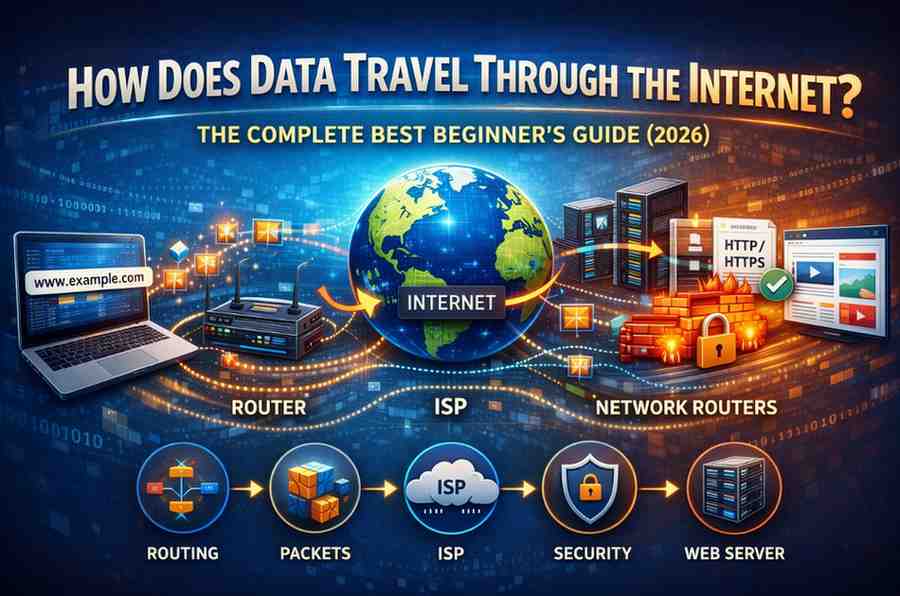
Every second, billions of data packets zoom across the planet at nearly the speed of light. They travel through undersea cables, fiber optic lines, routers, and satellites—all working together seamlessly.
This beginner-friendly guide breaks down the entire journey. You’ll discover exactly how your data gets from point A to point B, what technologies make it possible, and why it’s so incredibly fast and reliable.
How the Internet Works – Stanford
Understanding Data: The Digital Language
Before exploring how does data travel through the internet, you need to understand what data actually is.
What Is Digital Data?
Everything online—text, images, videos, music—exists as binary code: combinations of 1s and 0s.
Binary Basics:
- 1 = electrical signal ON
- 0 = electrical signal OFF
Your computer converts everything into these electrical signals that can travel through wires or as light pulses through fiber optics.
Example: The letter “A” in binary is: 01000001
A simple emoji might require hundreds of bits, while a high-definition movie needs billions.
Data Units:
- Bit: Single 1 or 0
- Byte: 8 bits
- Kilobyte (KB): 1,024 bytes
- Megabyte (MB): 1,024 KB
- Gigabyte (GB): 1,024 MB
- Terabyte (TB): 1,024 GB
The Packet-Switching Revolution
The internet doesn’t send your data as one continuous stream. Instead, it breaks everything into small chunks called packets.
Why Packets Matter:
Imagine trying to send a book by mail. You could:
- Option A: Ship the entire book as one heavy package
- Option B: Send one page at a time in separate envelopes
The internet chooses Option B—it’s faster, more reliable, and more efficient.
Packet Structure:
Each packet contains three parts:
- Header:
- Source IP address (where it’s from)
- Destination IP address (where it’s going)
- Packet number (for reassembly)
- Protocol information
- Payload:
- The actual data (text, image fragment, video chunk)
- Usually 1,000-1,500 bytes
- Trailer:
- Error-checking code
- Signals end of packet
Key Advantage: If one packet gets lost or corrupted, only that small piece needs resending—not the entire file.
Step 1: Data Leaves Your Device
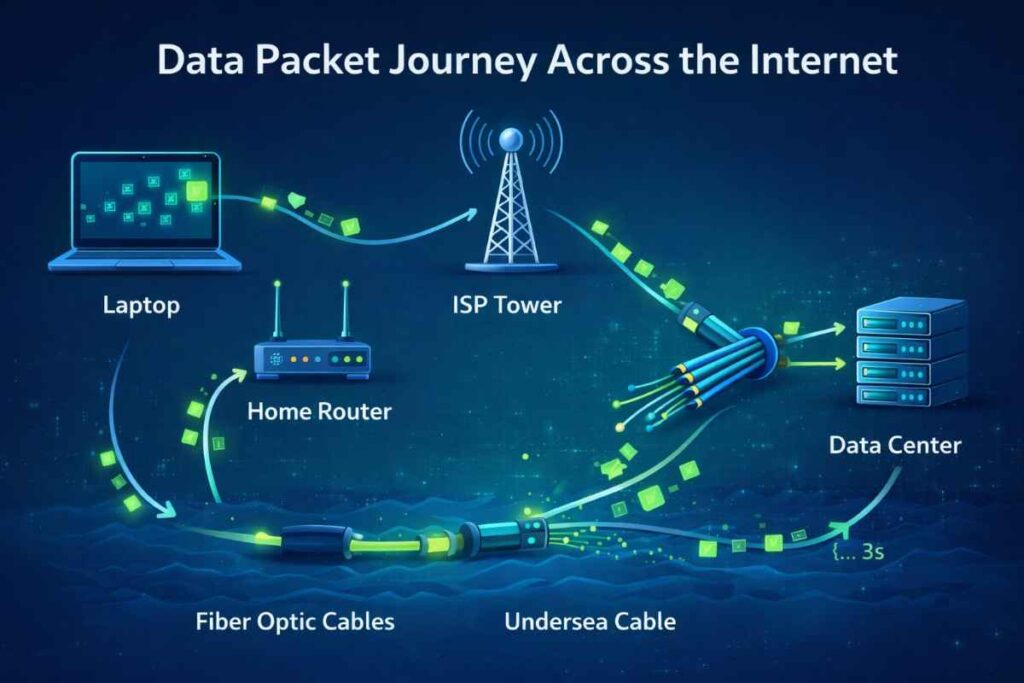
Understanding how does data travel through the internet starts with your device.
The Conversion Process:
When you click “send” on an email or load a webpage:
- Your application creates the data
- Operating system prepares it for transmission
- Network interface card (NIC) converts digital signals to electrical or light signals
- Data is formatted according to internet protocols
Network Interface Card: This hardware component in your device handles the physical transmission. It has a unique MAC (Media Access Control) address that identifies it on the local network.
Initial Journey:
- Desktop/laptop: Travels through Ethernet cable or WiFi
- Smartphone: Uses cellular data or WiFi
- Smart devices: Usually WiFi or Bluetooth to a hub
WiFi Transmission: Data converts to radio waves at frequencies of 2.4 GHz or 5 GHz, traveling through the air to your router.
Wired Connection: Data travels as electrical signals through copper cables or light pulses through fiber optic cables.
Step 2: Through Your Router to the Local Network
Your home or office router is the first major checkpoint.
Router Functions:
A router is like a smart traffic cop that:
- Assigns local IP addresses to devices
- Determines where data packets should go
- Provides security through firewalls
- Manages bandwidth between devices
- Translates between your local network and the internet
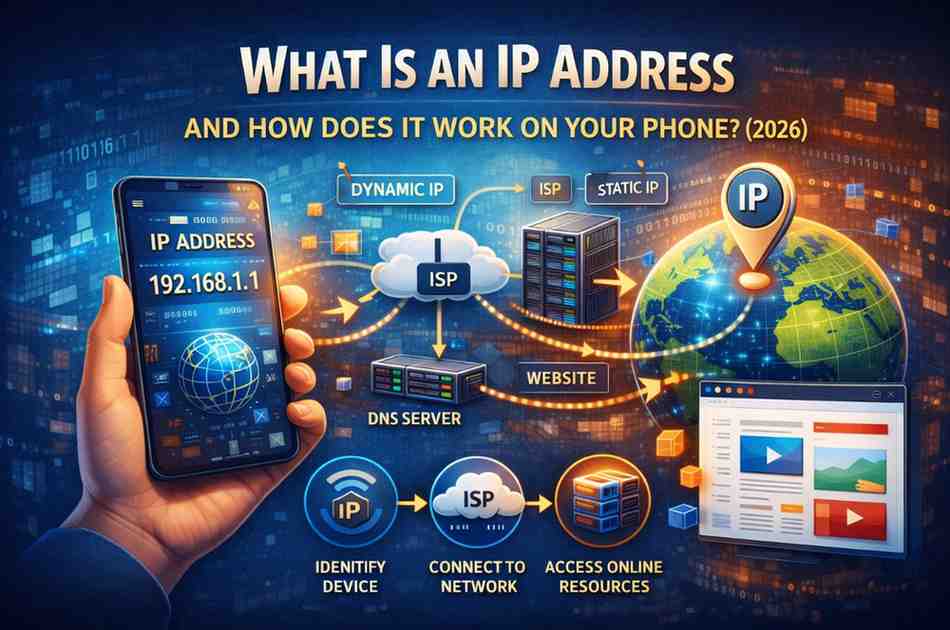
NAT (Network Address Translation): Your router gives all your devices private IP addresses (like 192.168.1.x) but uses one public IP address for internet communication.
Example:
- Your laptop: 192.168.1.5 (private)
- Your phone: 192.168.1.8 (private)
- Your router’s public face: 203.45.67.89 (public)
Routing Table: The router maintains a table determining the best path for each packet. It checks destination addresses and forwards packets accordingly.
Step 3: Into Your ISP’s Network
From your router, data travels to your Internet Service Provider (ISP).
ISP Infrastructure:
Your ISP (like Comcast, AT&T, Verizon, or local providers) operates:
- Local nodes: Neighborhood connection points
- Regional data centers: Larger hubs for your city/region
- Core network: High-capacity backbone infrastructure
Connection Types:
Different technologies connect you to your ISP:
DSL (Digital Subscriber Line):
- Uses existing phone lines
- Speeds: 1-100 Mbps
- Older technology, being phased out
Cable Internet:
- Uses coaxial TV cables
- Speeds: 100-1000 Mbps
- Shared bandwidth with neighbors
Fiber Optic:
- Dedicated fiber optic cables
- Speeds: 100-10,000 Mbps
- Most reliable and fastest
Cellular (4G/5G):
- Radio towers transmit data
- Speeds: 10-1000+ Mbps
- Mobile and sometimes home internet
Satellite:
- Communication satellites relay signals
- Speeds: 25-150 Mbps
- High latency, last resort option
Step 4: Routing Through Internet Backbone
This is where how does data travel through the internet gets truly global.
The Internet Backbone:
Tier 1 networks form the internet’s backbone—massive infrastructure owned by companies like:
- AT&T
- Verizon
- Level 3 Communications
- NTT Communications
- Cogent
Backbone Components:
Fiber Optic Cables: The internet’s main arteries are fiber optic cables that:
- Carry data as light pulses
- Travel at about 200,000 km/second (2/3 speed of light)
- Bundle hundreds of glass fibers thinner than human hair
- Provide enormous bandwidth (terabits per second)
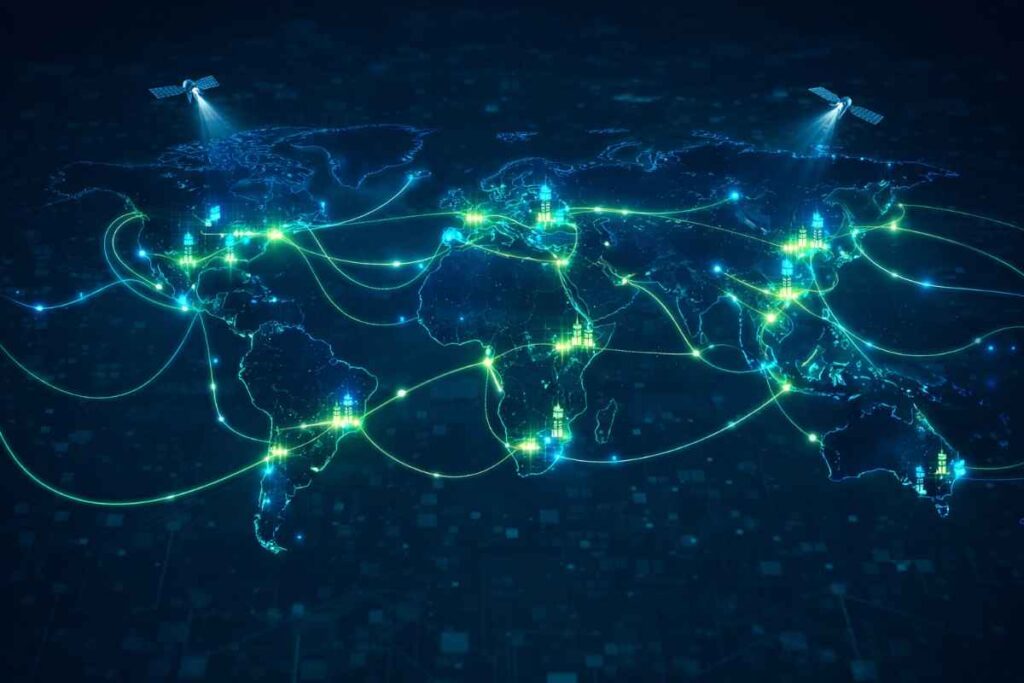
Undersea Cables: Over 400 submarine cables crisscross ocean floors, carrying 99% of international internet traffic.
Major Routes:
- Trans-Atlantic: USA ↔ Europe
- Trans-Pacific: USA ↔ Asia
- Asia-Europe: Multiple routes through Middle East or Russia
Internet Exchange Points (IXPs): Major cities have IXPs where different networks connect and exchange traffic:
- DE-CIX (Frankfurt)
- AMS-IX (Amsterdam)
- LINX (London)
- Equinix (multiple locations)
Step 5: Routers Direct Traffic at Every Hop
As data travels, it passes through dozens of routers.
What Routers Do:
Each router examines packet headers and decides the next best hop toward the destination.
Routing Protocols:
BGP (Border Gateway Protocol):
- Exchanges routing information between networks
- Determines optimal paths across the internet
- Updates dynamically based on network conditions
OSPF (Open Shortest Path First):
- Used within individual networks
- Calculates fastest routes
- Adapts to network changes
Routing Decisions Based On:
- Shortest path (fewest hops)
- Fastest path (highest bandwidth)
- Least congested path
- Network policies and agreements
Hop Count: Your data typically passes through 10-20 routers (hops) to reach most destinations. You can see this using the “traceroute” command.
Example Traceroute:
1. Home router (1ms)
2. ISP local node (5ms)
3. ISP regional hub (12ms)
4. ISP backbone (18ms)
5. Internet exchange point (45ms)
6. Destination ISP backbone (52ms)
7. Destination regional hub (58ms)
8. Destination server (62ms)
Step 6: Through Undersea Cables Across Oceans
For international data, undersea cables are essential.
Cable Specifications:
Modern submarine cables:
- Diameter: About 2.5-5 cm (similar to garden hose)
- Length: Up to 20,000 km for major routes
- Capacity: 400+ terabits per second
- Cost: $200-500 million per cable
- Lifespan: 25 years
Protection Layers:
- Optical fibers (core)
- Copper power conductors
- Protective gel/petroleum jelly
- Steel wire armor
- Polyethylene outer sheath
Installation: Specialized cable-laying ships slowly drop cables to ocean floors, sometimes 8,000 meters deep.
Repair Operations: When cables break (from ship anchors, earthquakes, or sharks biting them), repair ships retrieve the cable, splice in new sections, and redeploy it.
Signal Amplification: Repeaters every 50-100 km boost light signals to maintain strength across vast distances.
Step 7: Arrival at Destination Server
Finally, packets reach the web server hosting the content you requested.
Server Reception:
- Firewall Check: Security systems screen for threats
- Load Balancer: Distributes requests across multiple servers
- Web Server: Receives and processes the request
- Application Layer: Executes necessary code
- Database Query: Retrieves required data
- Response Preparation: Packages data for return journey
Data Center Infrastructure:
Major websites run in data centers with:
- Thousands of servers
- Redundant power supplies
- Advanced cooling systems
- Multiple internet connections
- Physical security
Content Delivery Networks (CDNs): Instead of traveling to one distant server, your request often goes to a nearby CDN node storing cached copies of popular content.
Popular CDNs:
- Cloudflare
- Akamai
- AWS CloudFront
- Google Cloud CDN
- Fastly
CDN Advantage: Data might travel 100 km instead of 10,000 km, reducing latency from 150ms to 5ms.
Step 8: Return Journey Back to You
The server’s response follows a similar path back.
Return Route:
- Data breaks into packets at the destination
- Packets may take different return routes
- Your router receives packets
- Packets reassemble in correct order
- Your device processes the complete data
Asymmetric Routing: Forward and return paths often differ. The internet dynamically chooses optimal routes based on current conditions.
Speed Comparison:
- Email: Round trip in 100-300ms
- Website: 50-500ms
- Video streaming: Initial 200-1000ms, then continuous flow
- Online gaming: 10-50ms critical for real-time play
The Role of Protocols in Data Travel
Protocols are standardized rules that ensure different systems communicate properly.
TCP/IP: The Foundation
IP (Internet Protocol):
- Handles addressing and routing
- Ensures packets reach correct destinations
- IPv4: 32-bit addresses (4.3 billion addresses)
- IPv6: 128-bit addresses (virtually unlimited)
TCP (Transmission Control Protocol):
- Establishes connections
- Ensures reliable delivery
- Requests retransmission of lost packets
- Maintains packet order
UDP (User Datagram Protocol):
- Faster but less reliable than TCP
- Used for streaming and gaming
- Accepts some packet loss for speed
Application Layer Protocols:
HTTP/HTTPS:
- Web browsing
- Defines request/response format
FTP:
- File transfers
- Direct file uploads/downloads
SMTP/POP3/IMAP:
- Email sending and receiving
- Different methods of mail handling
DNS:
- Translates domain names to IP addresses
- Essential for human-readable web addresses
WebRTC:
- Real-time communication
- Video calls, live streaming
Physical Media: How Data Actually Moves
Understanding how does data travel through the internet requires knowing the physical transmission methods.
Copper Cables (Electrical Signals)
How It Works: Data travels as voltage changes through copper wires.
Types:
- Ethernet cables: CAT5e, CAT6, CAT7
- Coaxial cables: Cable internet
- Phone lines: DSL connections
Advantages:
- Inexpensive
- Easy to install
- Widely available
Limitations:
- Signal degradation over distance
- Electromagnetic interference
- Lower maximum speeds than fiber
Fiber Optic Cables (Light Pulses)
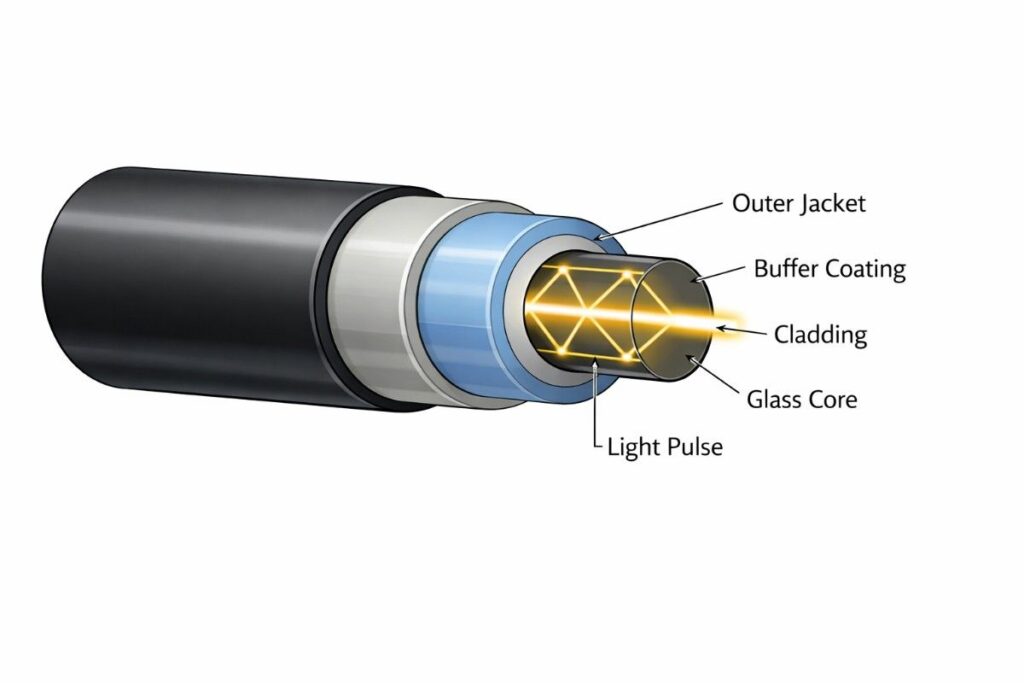
How It Works: Data converts to light pulses that bounce through glass fibers via total internal reflection.
Core Components:
- Core: Ultra-pure glass fiber
- Cladding: Reflects light back into core
- Buffer coating: Protects fiber
- Jacket: Outer protective layer
Advantages:
- Extremely high bandwidth
- Minimal signal loss
- Immune to electromagnetic interference
- Can transmit over long distances without amplification
Light Source: LEDs or lasers generate light pulses at specific wavelengths.
Speed: Light travels through fiber at about 200,000 km/second (about 2/3 speed of light in vacuum).
Wireless Transmission (Radio Waves)
How It Works: Data converts to radio frequency signals transmitted through air.
Types:
WiFi:
- Frequency: 2.4 GHz or 5 GHz
- Range: 30-100 meters indoors
- Standards: 802.11a/b/g/n/ac/ax (WiFi 6)
Cellular:
- 4G LTE: 700 MHz – 2.6 GHz
- 5G: 600 MHz – 39 GHz (and higher)
- Range: 500m – 10km per tower
Satellite:
- Geostationary: 35,786 km altitude
- Low Earth Orbit (Starlink): 550 km altitude
- High latency due to distance
Limitations:
- Signal weakens with distance
- Physical obstacles block signals
- Weather can interfere
- Shared bandwidth with other users
Speed and Latency: Why Distance Matters
Speed of Light Limit: No matter how advanced technology gets, data cannot travel faster than light.
Latency Sources:
Propagation Delay: Physical time for signals to travel the distance.
- Fiber optic: 5 milliseconds per 1,000 km
- Satellite (geostationary): 250ms minimum due to altitude
Transmission Delay: Time to push all packet bits onto the wire.
- Depends on packet size and connection speed
Processing Delay: Time routers spend examining and forwarding packets.
- Typically 1-10 milliseconds per router
Queuing Delay: Time packets wait in router buffers when network is congested.
- Can add 10-100+ milliseconds during peak usage
Total Latency Example: New York to London webpage:
- Distance: ~5,500 km
- Minimum physical time: ~28ms
- Routing/processing: ~20-50ms
- Typical total: 70-100ms
Bandwidth vs. Latency: Understanding the Difference
Bandwidth (Speed): How much data can flow per second. Like the width of a pipe.
Measured in:
- Mbps (megabits per second)
- Gbps (gigabits per second)
Example:
- 100 Mbps = can download 12.5 MB per second
- 1 Gbps = can download 125 MB per second
Latency (Ping): How long each packet takes to make the round trip. Like the length of the pipe.
Measured in:
- Milliseconds (ms)
Example:
- 10ms = excellent (nearby server)
- 50ms = good (regional server)
- 100ms = acceptable (distant server)
- 200ms+ = noticeable lag (international or satellite)
Use Cases:
High bandwidth, low latency: Best for everything—gaming, 4K streaming, video calls
High bandwidth, high latency: Good for downloads, streaming (after buffering), but bad for gaming
Low bandwidth, low latency: Adequate for browsing, email, but poor for large downloads
Low bandwidth, high latency: Frustrating experience across all uses
Security: Protecting Data During Travel
Encryption: Data scrambles into unreadable code during transmission, decrypting only at the destination.
HTTPS/TLS:
- Encrypts web traffic
- Prevents eavesdropping
- Verifies website identity
- Used for banking, shopping, sensitive data
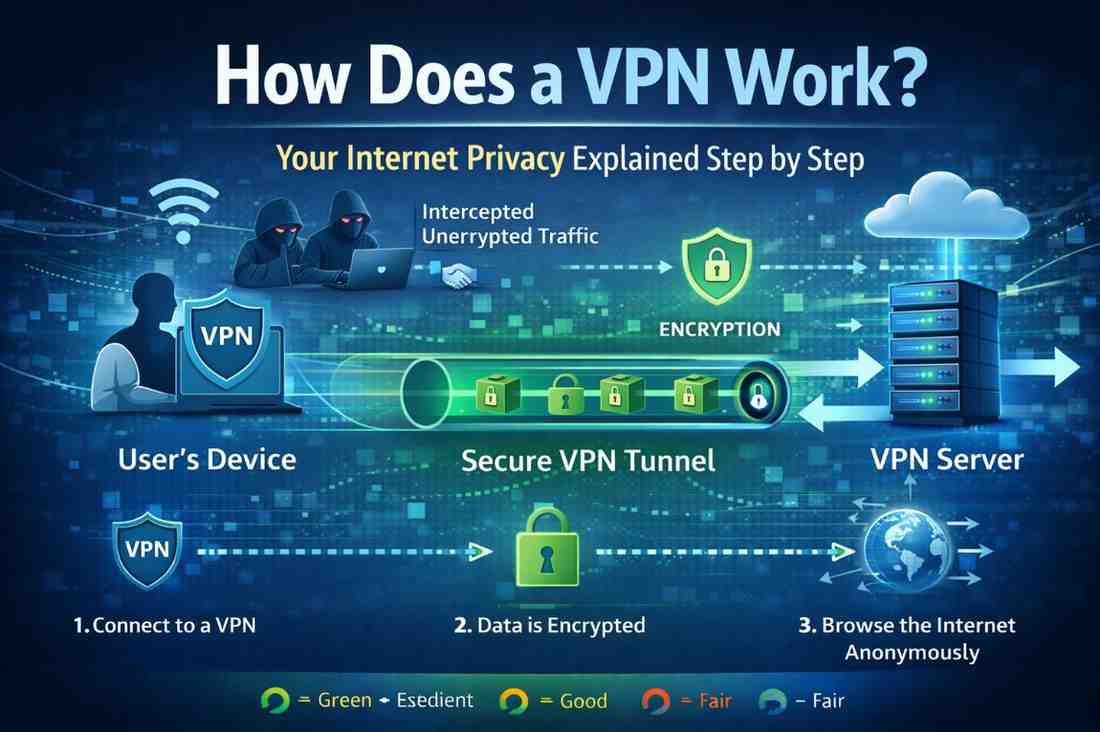
VPN (Virtual Private Network):
- Creates encrypted tunnel for all internet traffic
- Masks your IP address
- Protects on public WiFi
- Routes through VPN servers
End-to-End Encryption: Only sender and receiver can read the data—even intermediaries cannot decrypt it.
Used by:
- Signal
- iMessage (Apple)
- Secure email services
Threats During Transit:
Packet Sniffing: Intercepting unencrypted data on networks. Defense: Always use HTTPS and VPNs
Man-in-the-Middle Attacks: Attacker intercepts and possibly alters communication. Defense: Certificate validation, HTTPS
DDoS (Distributed Denial of Service): Overwhelming networks/servers with traffic. Defense: Traffic filtering, CDNs, rate limiting
Common Misconceptions About Data Travel
Myth 1: The internet is entirely wireless Reality: 99% of long-distance internet traffic travels through physical cables, especially fiber optic and undersea cables. Wireless is typically only the “last mile.”
Myth 2: Data always takes the same path Reality: Routing is dynamic. Packets from the same message can take different routes based on current network conditions.
Myth 3: Faster internet means lower latency Reality: Bandwidth and latency are different. Satellite internet can offer decent speeds but has high latency due to the distance to space and back.
Myth 4: VPNs make internet faster Reality: VPNs typically slow connections slightly due to encryption overhead and routing through VPN servers, though they can sometimes bypass ISP throttling.
Myth 5: WiFi 6 reaches farther than WiFi 5 Reality: WiFi 6 is primarily about speed and handling multiple devices efficiently, not extending range. Range depends mainly on frequency and power output.
Expert Tips for Optimizing Data Transfer
For Home Users:
- Upgrade to fiber internet if available in your area
- Use wired connections for stationary devices (gaming consoles, desktop PCs)
- Position router centrally to minimize WiFi distance
- Update router firmware regularly for security and performance
- Use 5 GHz WiFi band for faster speeds at shorter range
- Close unnecessary background apps that consume bandwidth
For Remote Workers:
- Invest in quality router with QoS (Quality of Service) features
- Use ethernet for video calls to reduce lag and dropouts
- Test internet speed regularly to ensure you’re getting what you pay for
- Consider business-grade internet for guaranteed uptime and support
- Keep backup connection (mobile hotspot) for emergencies
For Gamers:
- Prioritize low latency over high bandwidth
- Connect via ethernet whenever possible
- Choose servers geographically close to your location
- Enable QoS on router to prioritize gaming traffic
- Avoid downloading during gaming sessions
- Consider gaming VPNs that optimize routes for lower ping
For Streamers:
- Minimum 25 Mbps upload for 1080p streaming
- Wired connection essential for stable broadcast
- Dual PC setup separates gaming and encoding loads
- Use CDN-integrated platforms (Twitch, YouTube) for global reach
- Test during peak hours to ensure consistent performance
The Future of Data Travel
WiFi 7 (802.11be):
- Speeds up to 46 Gbps
- Lower latency for real-time applications
- Better performance in crowded environments
- Expected mainstream adoption 2025-2027
5G and Beyond:
- 5G: 1-10 Gbps speeds, sub-10ms latency
- 6G (research phase): 1 Tbps speeds, sub-1ms latency
- Supports billions of IoT devices
Satellite Internet Revolution:
- SpaceX Starlink: Low Earth orbit constellation
- Lower latency than traditional satellite (20-40ms)
- Global coverage including remote areas
- Competition driving down costs
Quantum Internet:
- Uses quantum entanglement for ultra-secure communication
- Theoretically unhackable
- Currently experimental
- Long-term future technology
Edge Computing:
- Processing data closer to users
- Reduces need for long-distance data travel
- Lower latency for real-time applications
- 5G networks enable widespread deployment
About Me
Hello, I am Rajesh Ram, a passionate tech blogger and the voice behind “Technology Explained,” where complex digital concepts are simplified for everyday readers. With a strong interest in emerging technologies, internet infrastructure, and digital trends, he focuses on breaking down complicated topics into clear, easy-to-understand insights.
Through my articles, I help readers stay informed about how technology works in the real world — from the basics to advanced innovations shaping the future. His goal is to make technology accessible, practical, and engaging for everyone.
When I am not writing, I enjoy exploring the latest tech updates, learning new digital skills, and sharing valuable knowledge with my audience.
Frequently Asked Questions
Q1: How fast does data actually travel through the internet?
Data travels through fiber optic cables at about 200,000 kilometers per second (roughly 2/3 the speed of light). However, actual transfer speeds depend on bandwidth, routing, congestion, and processing delays. The practical speed you experience is typically measured in megabits or gigabits per second.
Q2: Can data get lost while traveling through the internet?
Yes, packets can get lost due to network congestion, hardware failures, or interference. This is why TCP protocol exists—it detects missing packets and requests retransmission. For time-sensitive applications like video calls, UDP protocol accepts some loss to maintain speed.
Q3: Why does my internet slow down at night?
Network congestion occurs when many users in your area are online simultaneously. ISPs have limited bandwidth in local infrastructure, and evening hours (6-11 PM) see peak usage. Your connection shares capacity with neighbors, causing slowdowns during high-demand periods.
Q4: How much data can travel through one fiber optic cable?
A single fiber optic strand can carry up to 100 Gbps. Modern submarine cables bundle hundreds of fiber pairs and use wavelength division multiplexing (WDM) to carry multiple signals simultaneously, achieving capacities of 400+ terabits per second—enough for millions of HD video streams.
Q5: Is satellite internet as reliable as cable or fiber?
Satellite internet has improved significantly with low Earth orbit constellations like Starlink, but traditional geostationary satellite internet has inherent limitations: high latency (500-700ms), weather sensitivity, and lower reliability. LEO satellites reduce latency to 20-40ms, approaching cable internet performance for remote areas.
Conclusion
Now you fully understand how does data travel through the internet—from the moment it leaves your device until it returns with the content you requested.
Key Takeaways:
- Data breaks into packets for efficient, reliable transmission
- Multiple physical media carry data: fiber optics, copper cables, and wireless
- Routers direct packets through the optimal path across global infrastructure
- Undersea cables carry 99% of international internet traffic
- Protocols like TCP/IP ensure reliable delivery and reassembly
- Speed is limited by physics, but technology maximizes efficiency
- Security measures protect data during its journey
The internet’s brilliance lies in its decentralized design. No single company or government controls it—millions of networks cooperate using standardized protocols to deliver your data reliably, quickly, and globally.
Take Action: Test your internet journey! Use “ping” to measure latency and “traceroute” (or “tracert” on Windows) to see every router hop your data makes. Visit speedtest.net to check your current bandwidth. Understanding these tools helps you troubleshoot problems and optimize your connection.