
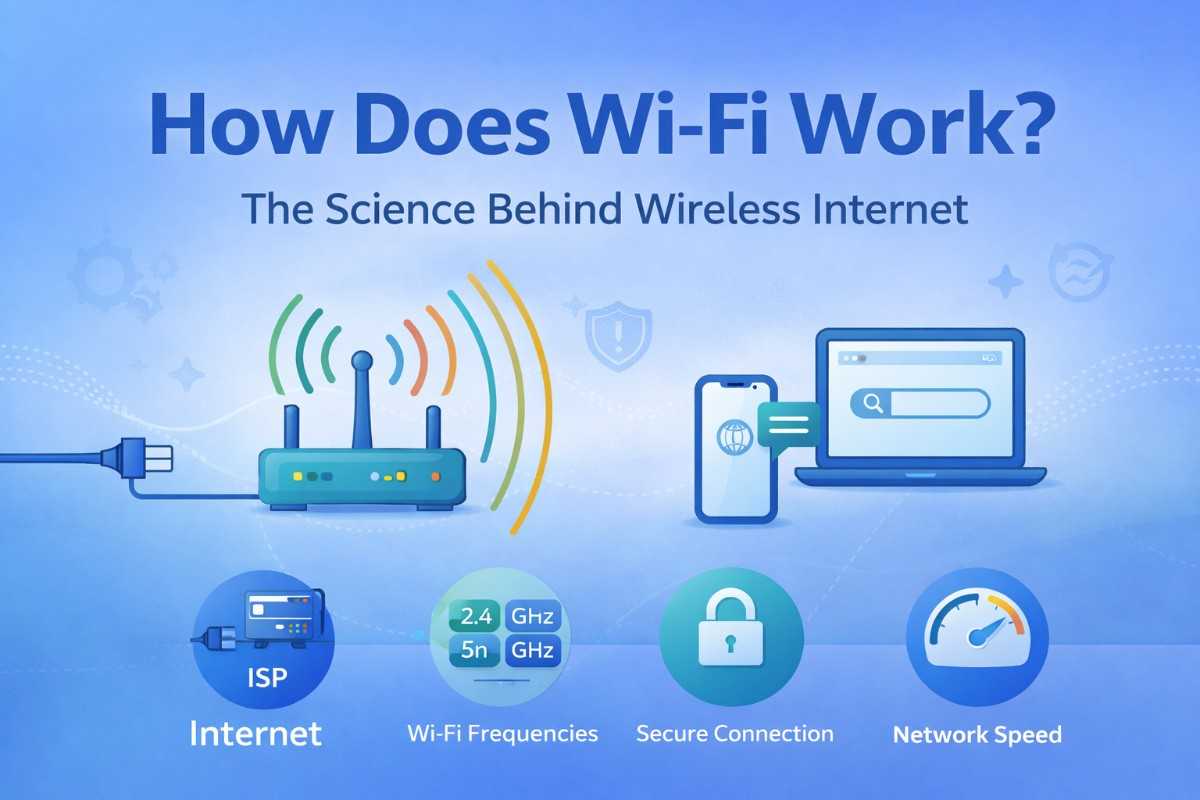
You walk into a coffee shop, open your laptop, and seconds later you’re streaming a video — no cables, no wires. But have you ever stopped to wonder: how does Wi-Fi work exactly? What invisible force carries YouTube videos and emails through the air into your screen?
Wi-Fi is one of the most used technologies in the world, yet most people have no idea what happens behind the scenes. In this article, we’ll break down the science of Wi-Fi in simple, everyday language — covering radio waves, router frequencies, Wi-Fi standards, security protocols, and practical tips to get a faster, stronger signal at home or work.
What Is Wi-Fi? A Quick Definition
Wi-Fi is a wireless networking technology that allows devices — phones, laptops, smart TVs, tablets — to connect to the internet without physical cables.
The name “Wi-Fi” does not stand for “Wireless Fidelity” as many believe. It was coined by a branding agency and has no official long form. It is simply a trademark name for devices that meet the IEEE 802.11 wireless networking standards.
At its core, Wi-Fi is just a method of sending and receiving data using radio waves — the same family of waves used by FM radio, Bluetooth, and microwaves, just tuned to different frequencies.
How Does Wi-Fi Work? The Step-by-Step Science
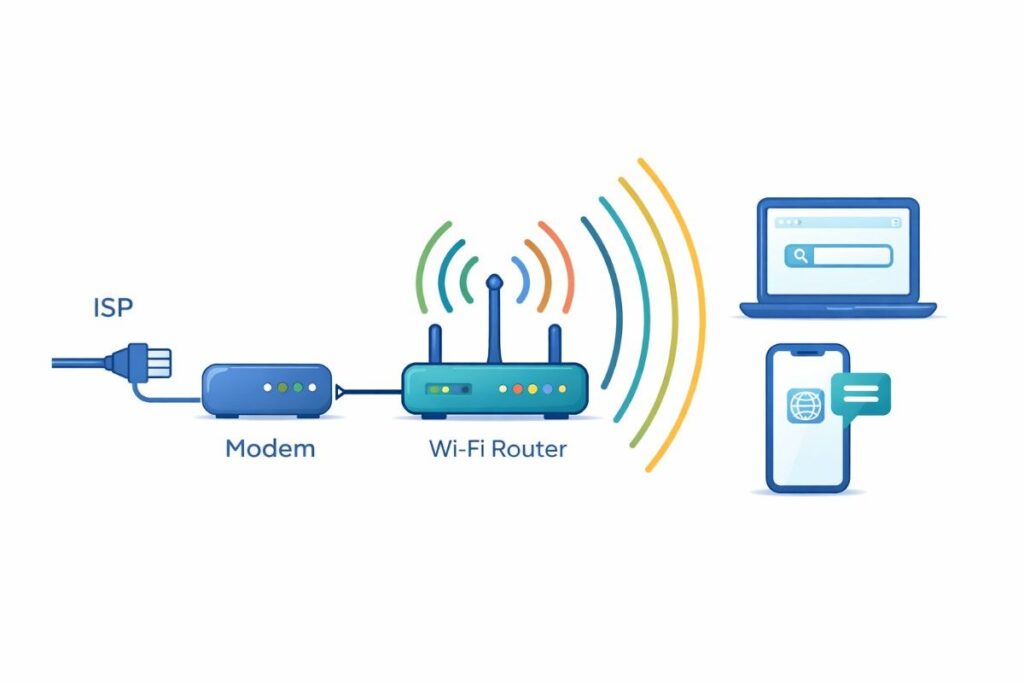
Understanding how Wi-Fi works starts with understanding what actually travels through the air when you browse the web.
Step 1 — Your Internet Service Provider (ISP) Delivers the Data
Your internet connection starts with a physical cable (fiber, cable, or DSL line) coming into your home or office from your Internet Service Provider (ISP). This cable connects to your modem, which translates the ISP’s signal into data your network can use.
Step 2 — Your Router Broadcasts a Radio Signal
The modem connects to your router. The router’s job is to take that incoming data and broadcast it wirelessly using radio frequency waves — typically at 2.4 GHz or 5 GHz.
Think of the router as a miniature radio station inside your home. Instead of broadcasting music, it broadcasts data packets containing web pages, videos, emails, and everything else you access online.
Step 3 — Your Device’s Wi-Fi Adapter Receives the Signal
Every Wi-Fi-enabled device has a built-in wireless network adapter — a small antenna and chip that receives the radio signal sent by the router. It decodes the signal back into digital data your device can display and use.
Step 4 — Two-Way Communication (Full Duplex)
Wi-Fi is not one-way. Your device constantly sends data back to the router too — such as requests to load a page, send a message, or upload a file. This two-way exchange happens dozens of times per second, which is why Wi-Fi feels instant and seamless.
Key Insight: Wi-Fi works by converting digital data into radio waves, broadcasting them from a router, capturing them with your device’s antenna, and converting them back into digital data — all in milliseconds.
Radio Waves and Frequencies: The Backbone of Wi-Fi
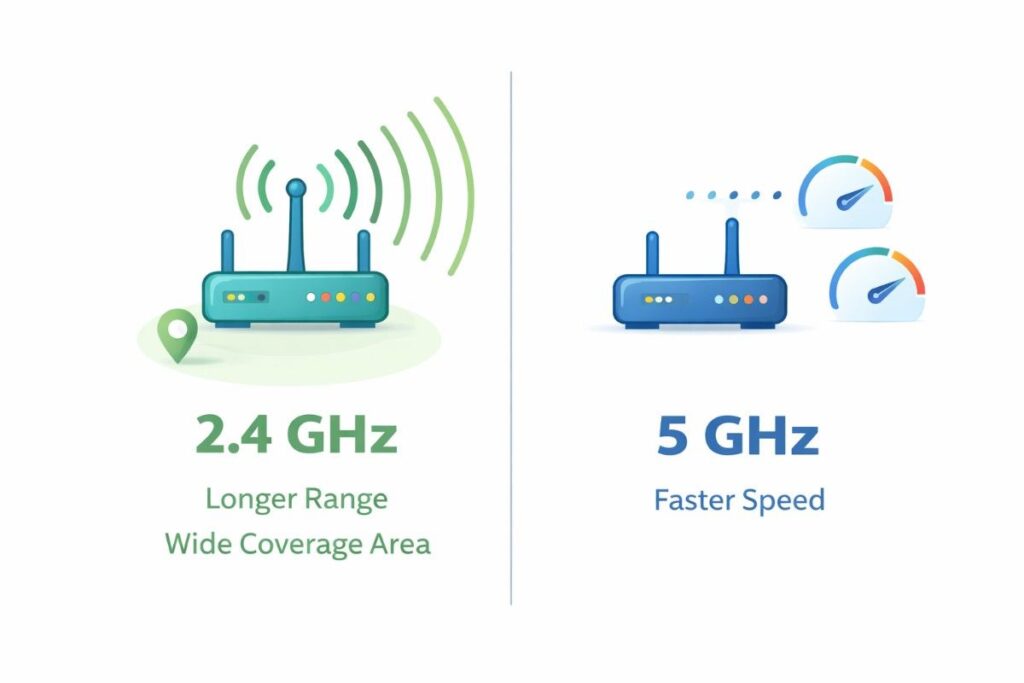
Radio waves are a form of electromagnetic radiation — energy that travels at the speed of light. Wi-Fi uses specific frequency bands to carry data, and the choice of frequency affects both speed and range.
2.4 GHz Band
- Longer range — reaches further through walls and floors.
- More congested — used by older devices, microwaves, and Bluetooth.
- Slower maximum speeds compared to 5 GHz.
- Best for: devices far from the router or in rooms with thick walls.
5 GHz Band
- Faster speeds — supports higher data throughput.
- Less interference — fewer devices compete on this band.
- Shorter range — struggles more with walls and distance.
- Best for: devices close to the router needing high speeds (streaming 4K, gaming).
6 GHz Band (Wi-Fi 6E and Wi-Fi 7)
The newest Wi-Fi standards have unlocked the 6 GHz band, providing even faster speeds and far less congestion. This is the future of Wi-Fi for dense environments like apartment buildings and office spaces.
| Band | Max Speed | Range | Best Use |
| 2.4 GHz | ~600 Mbps | Up to 45m indoors | Long range, basic tasks |
| 5 GHz | ~3.5 Gbps | Up to 30m indoors | Streaming, gaming |
| 6 GHz | ~9.6 Gbps+ | Up to 20m indoors | Ultra-fast, low latency |
Wi-Fi Standards Explained: From 802.11a to Wi-Fi 7
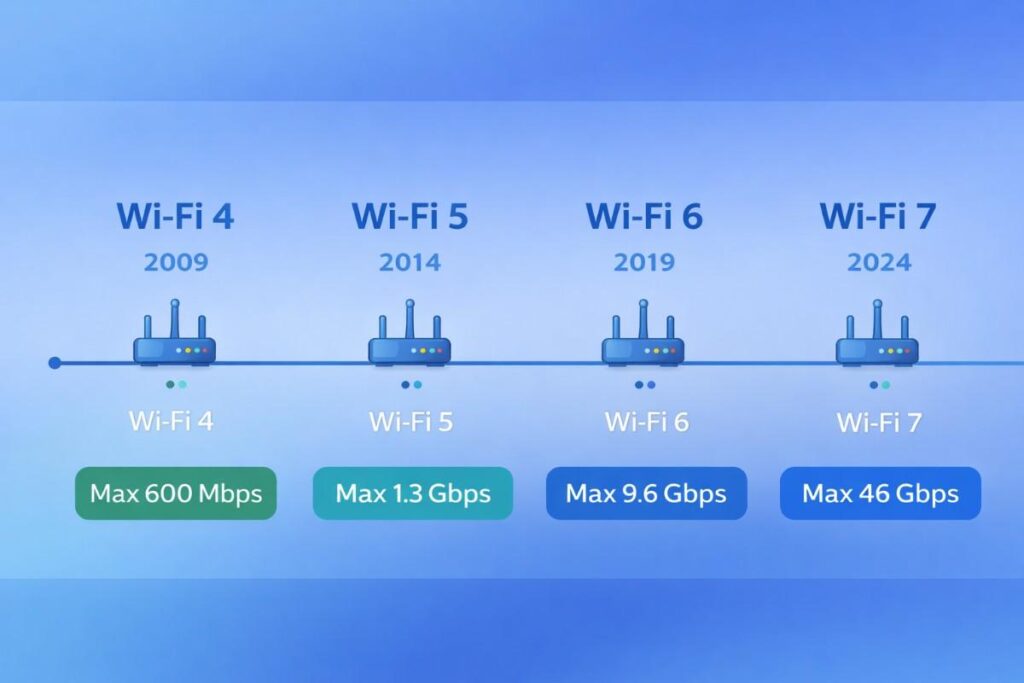
The Institute of Electrical and Electronics Engineers (IEEE) sets the technical standards for Wi-Fi under the 802.11 family. Each new generation brings faster speeds, better range, and improved efficiency.
- Max 600 Mbps. Still common in older devices. Supports both 2.4 GHz and 5 GHz.Wi-Fi 4 (802.11n):
- Max 3.5 Gbps. The most widely deployed standard as of today.Wi-Fi 5 (802.11ac):
- Max 9.6 Gbps. More efficient in crowded areas, better battery life for connected devices.Wi-Fi 6 (802.11ax):
- Extends Wi-Fi 6 into the 6 GHz band, dramatically reducing congestion.Wi-Fi 6E:
- Emerging standard targeting speeds over 46 Gbps. Ideal for AR/VR, 8K streaming, and smart home ecosystems.Wi-Fi 7 (802.11be):
When buying a new router or device, look for Wi-Fi 6 or Wi-Fi 6E compatibility for the best future-proof performance.
How Wi-Fi Security Works
Wi-Fi signals travel through walls and out of your building — which means anyone nearby could potentially intercept them. That’s why encryption protocols are essential.
WEP — Wired Equivalent Privacy (Outdated)
The original Wi-Fi security protocol, introduced in 1997. It is severely outdated and can be cracked in minutes. Never use WEP.
WPA and WPA2 — Wi-Fi Protected Access
WPA2 has been the standard for over a decade and is still widely used. It uses AES (Advanced Encryption Standard) encryption, which is very strong. Always choose WPA2 if WPA3 is not available.
WPA3 — The Current Gold Standard
WPA3, introduced in 2018, provides stronger encryption, better protection on open public networks, and improved security when using simple passwords. If your router supports WPA3, enable it.
Security Tip: Always use WPA2 or WPA3 on your home network. Use a strong password with letters, numbers, and symbols. Never leave your router on its default password.
Pros and Cons of Wi-Fi
Advantages of Wi-Fi
- Complete freedom of movement — connect from anywhere within range.
- Supports dozens of devices simultaneously on a single network.
- Easy to set up — most routers are plug-and-play.
- Constantly evolving — newer standards bring dramatically faster speeds.
- Enables smart home ecosystems — locks, lights, thermostats, cameras all connected wirelessly.
Limitations of Wi-Fi
- Signal weakens through walls, floors, and interference from other devices.
- Generally slower and higher latency than a wired Ethernet connection.
- Security vulnerabilities if not configured correctly.
- Performance drops when many devices are connected simultaneously on older routers.
Expert Tips to Improve Your Wi-Fi Signal
Now that you understand how Wi-Fi works, here are proven ways to get the most out of your wireless network:
- Place your router centrally in your home, elevated and away from walls.
- Keep the router away from microwaves, cordless phones, and baby monitors — they interfere with the 2.4 GHz band.
- Use the 5 GHz band for streaming and gaming, 2.4 GHz for smart home devices and phones in distant rooms.
- Upgrade to a Wi-Fi 6 router if you have 10+ connected devices — it handles congestion far better.
- Use a mesh Wi-Fi system (like Google Nest or Eero) to eliminate dead zones in larger homes.
- Change your Wi-Fi channel — if neighbors use the same channel, switch to a less crowded one using a free app like Wi-Fi Analyzer.
- Restart your router monthly — it flushes memory and refreshes connections.
- Update your router’s firmware — manufacturers release security patches and performance improvements regularly.
Latest Trends in Wi-Fi Technology (2025–2026)
Wi-Fi technology is evolving rapidly. Here are the most important developments shaping wireless internet right now:
- Major router manufacturers (ASUS, TP-Link, Netgear) have released Wi-Fi 7 consumer routers with multi-link operation (MLO), letting devices use multiple bands simultaneously for ultra-low latency.Wi-Fi 7 rollout:
- As 6 GHz-capable devices become mainstream, congestion in apartments and offices is dropping significantly.Wi-Fi 6E adoption growth:
- Whole-home mesh systems have overtaken traditional single routers in new home installations.Mesh networking goes mainstream:
- New routers use machine learning to automatically optimize channels, prioritize traffic, and detect security threats in real time.AI-powered routers:
- Municipal Wi-Fi deployments and outdoor Wi-Fi 6 access points are expanding public internet access globally.Wi-Fi in smart cities:
Frequently Asked Questions About How Wi-Fi Works
1. How does Wi-Fi work without wires?
Wi-Fi converts digital data into radio waves, which travel through the air at the speed of light. Your device’s wireless adapter captures these waves and converts them back into digital data. No physical wire is needed because radio waves pass through air (and most walls) freely.
2. Does Wi-Fi go through walls?
Yes, but signal strength decreases with each obstacle. 2.4 GHz passes through walls better than 5 GHz because of its longer wavelength. Concrete and brick walls cause more signal loss than drywall. Mesh Wi-Fi systems help overcome dead zones in larger buildings.
3. How far does a Wi-Fi signal reach?
A standard home router typically reaches 30–50 meters indoors depending on walls and interference. Outdoors in open space, the signal can extend up to 100 meters or more. Range extenders and mesh systems can dramatically increase effective coverage.
4. Is Wi-Fi the same as the internet?
No — Wi-Fi and the internet are different things. Wi-Fi is the wireless network inside your home or office. The internet is the global network your Wi-Fi connects to via your ISP. You can have Wi-Fi without internet (a local network), but you need both to browse the web.
5. Why does Wi-Fi slow down when many devices are connected?
Wi-Fi bandwidth is shared among all connected devices. Older routers using single-user technology serve each device one at a time, creating bottlenecks. Wi-Fi 6 and Wi-Fi 7 use MU-MIMO (Multi-User, Multiple Input, Multiple Output) technology to serve multiple devices simultaneously, reducing congestion significantly.
Conclusion: The Invisible Network That Runs Your World
So — how does Wi-Fi work? In short: your router converts internet data into radio waves, broadcasts them through the air, and your devices capture and decode those waves in real time. What feels like magic is actually decades of engineering innovation working silently in the background.
Here are the key takeaways from this guide:
- Wi-Fi uses radio waves at 2.4 GHz, 5 GHz, or 6 GHz to transmit data wirelessly.
- Newer standards like Wi-Fi 6, Wi-Fi 6E, and Wi-Fi 7 offer dramatically faster speeds and better performance in crowded environments.
- Security protocols (WPA2/WPA3) encrypt your data to prevent eavesdropping.
- Router placement, frequency selection, and firmware updates all directly affect your Wi-Fi speed and range.
Call to Action: Check your router’s model right now. If it’s more than 5 years old or only supports Wi-Fi 5 (802.11ac) or older, upgrading to a Wi-Fi 6 router could double your effective speed and cut dead zones in half — for under $100.